



Adobe Firefly AI Assistant brings agentic creativity
Adobe Firefly AI Assistant introduces agentic creativity, letting users create, edit and manage workflows across apps using simple prompts!



Meet Adobe's new agentic version of its AI tool!
Adobe unveiled Firefly AI Assistant, powered by a new creative agent that aims to orchestrate entire workflows across apps like Photoshop, Premiere Pro, Illustrator, Lightroom and Express.
Instead of manually switching tools, creators describe what they want, and the assistant handles the execution. Adobe is calling this shift agentic creativity. In simpler terms, you focus on the idea, and the system handles the steps. Let's take a closer look at this AI assistant!
From tools to outcomes
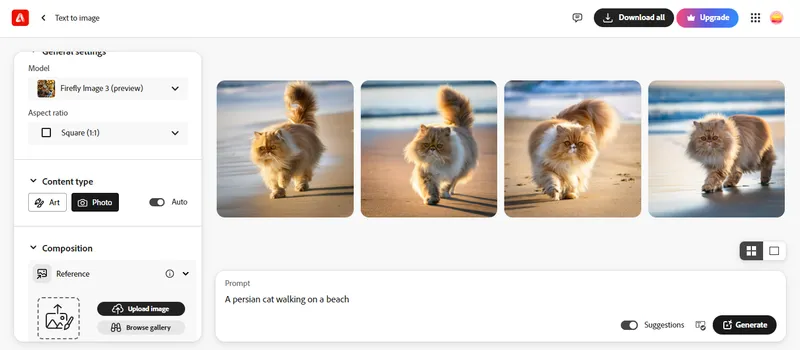
Credit: Adobe Firefly
Creative work has always been tool-heavy. Designers jump between apps, timelines and panels just to bring one idea to life. Firefly AI Assistant changes that approach. It introduces a conversational interface where users can describe outcomes in plain language.
The assistant then plans, generates and edits content across different apps while keeping the creator in control. This is shifting the focus to reducing the effort required to execute it rather than replacing it.
One assistant across the entire workflow
The assistant sits inside the Firefly app and acts as a central layer across Adobe’s ecosystem. It can:
- Ask follow-up questions to refine ideas
- Remember user preferences across sessions
- Carry context from one app to another
This continuity is important. It means your choices in one step influence the next, without needing to repeat instructions. Adobe is also introducing Creative Skills, which are essentially pre-built workflows.
These allow users to execute multi-step tasks from a single prompt, such as editing a video, adjusting colour and preparing assets for sharing. Over time, users can personalise the assistant based on their preferred tools, styles and workflows.
Video and image editing get smarter
Alongside the assistant, Adobe is upgrading Firefly’s editing capabilities. The browser-based Firefly Video Editor now includes studio-grade audio tools. Features like Enhance Speech, noise reduction and audio balancing allow creators to clean and refine sound directly within the workflow.
On the visual side, new tools like Precision Flow and AI Markup offer more control. Instead of broad edits, users can make targeted adjustments using sliders, brushes or selection tools. These updates aim to balance automation with precision, giving users both speed and control.
A growing ecosystem of AI models
Firefly is no longer limited to Adobe’s own models. The platform now integrates over 30 models, including options from third-party providers. These models support tasks like video generation, image creation, audio processing and more.
This approach gives creators flexibility. Instead of relying on a single model, they can choose the one that best fits their needs. It also signals a shift. Adobe is positioning Firefly as a creative hub, not just a tool.

The assistant is designed to support end-to-end workflows. A creator could start with an idea, generate visuals, edit video, refine audio, and then prepare assets for review. Feedback from tools like Frame.io can even be interpreted and applied automatically.
This reduces the time between ideation and delivery. Moreover, it simplifies collaboration, especially for teams working across multiple tools and formats.
Adobe says Firefly AI Assistant will enter public beta in the coming weeks within the Firefly app. Meanwhile, new video and image editing features, along with expanded model access, are already available for users on a Firefly plan. The company plans to showcase these capabilities further at Adobe Summit 2026.